Turn a Spec Sheet, PDF, or PowerPoint into a 3D Explainer Video
Catalogs and proposal slides already contain the facts about your product. Attach a PDF or PowerPoint file, and the AI reads the numbers and facts in it, then lays out in the storyboard which pages become which scenes. Instead of showing slides one after another, it builds the product in 3D.
Who it's for
- For sales and marketing people who have catalogs and proposals but no product video
- For people who want a short intro video to send customers before a sales meeting
- For people who want a matching set of videos built from their documents, by model number or series
- For people who want distributors to explain their products with video, not just documents
Common challenges
A spec table is for people who compare
The numbers in a spec table help people comparing model numbers. But for someone new to the product, they don't explain what the numbers mean or why it's built that way.
Even as a video, slides keep diagrams flat
Even if you play slides as they are and add narration, the diagrams and photos stay flat and still. It can't show what moves inside the structural diagram in a catalog.
Videos exist only for flagship products
Outsourcing a new video every time a catalog is revised or a model number is added is hard, so you end up with all your documents ready but videos for only some products.
What 3DCG Video AI can do
Decide in the storyboard what each page becomes
For example, each feature page gets one scene, a structural diagram becomes a scene showing the inside, and a spec table becomes a scene showing the numbers. All of this is laid out in the storyboard. You can review the rough sketch and narration script for each scene and change which pages are used, or their order, before the build.
Numbers come from your documents
The AI builds the video from the numbers and facts in your documents and is designed not to add performance claims or comparisons that aren't in them. Errors can still slip in, so always check numbers, model numbers, and units in the storyboard and the finished video.
From flat drawings to 3D scenes
Using the structural diagrams and photos in your catalog as cues, the AI builds a real 3D model of your product and adds part motion and camera work. Because it builds the 3D model first and then renders it, shapes and text are less likely to get distorted. If you want the exact designed shape, you can also attach a 3D CAD model.
Attach PowerPoint, PDF, and Excel files as they are
PowerPoint and Word files are converted to PDF and read, and Excel table values are read. For Keynote, export to PDF first, then attach it. If you want a logo or product photo to appear in the video, attach it as a PNG or JPEG image file too.
Examples of videos you can make
- A 60-second intro video made from one product's page in a general catalog
- A video to send before a sales meeting that shows the "Problem and solution" slide of a proposal deck in 3D
- An explainer video for each model that narrows the spec table down to 3 key numbers
- A video that shows how the internal parts work, based on a structural diagram page
- An explainer video that turns a page on the implementation process into scenes in step-by-step order
- A short vertical (9:16) video summarizing 3 key features from a brochure
Sample videos similar to this use case
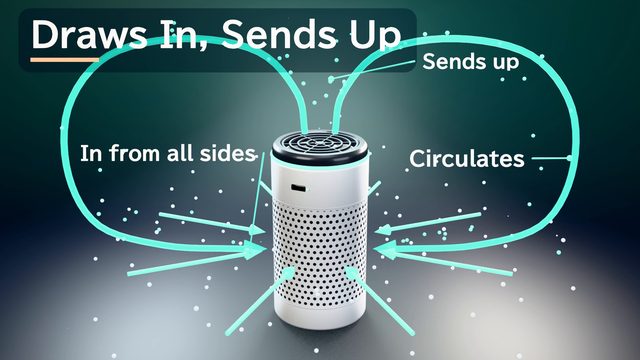
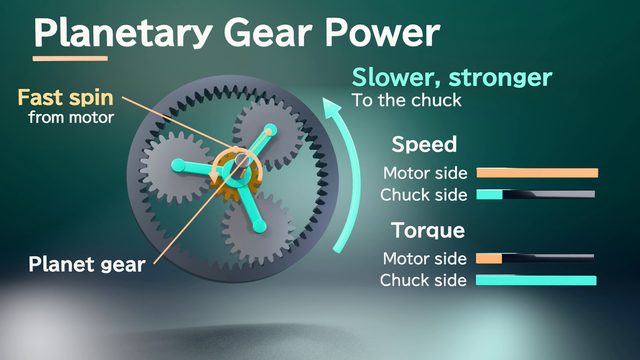
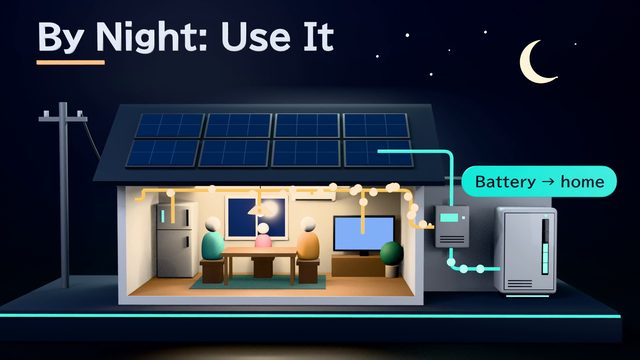
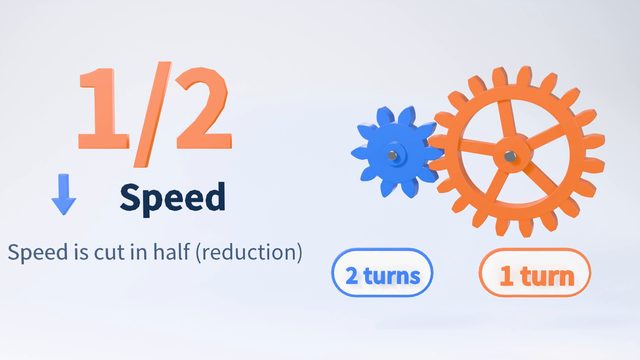
The air purifier, power driver, and home battery samples are fictional products. They were not made from real catalogs and include no performance figures. The gear sample was made with the numbers in the request (10 teeth and 20 teeth). There are no samples made from customer documents yet.
Tips for better results
In the samples, a 1-minute video has about 7 scenes and about 140 words of narration. A whole catalog won't fit, so narrow the features down to 3 or fewer and tell the AI in chat which numbers from which pages to use. Each file can be up to 30 MB, and the documents the AI reads can total up to 20 MB per video, so for large PDFs, extract only the pages you'll use. Slide animations aren't carried over, and presenter notes may not be read, so put anything you want explained on the slides or in chat. Excel charts and figures aren't read, so attach the original numbers. Remove old model numbers and confidential pages before attaching.
Example chat requests
From the attached general catalog, make a 60-second intro video for the industrial blowers on pages 12–15, to send to customers before a sales meeting. Narrow the features down to 3, and use the numbers exactly as they appear in the spec table on page 14. Based on the structural diagram on page 13, show the inside in 3D. Don't show slides: make scenes where the blades spin and the air flows.
Price estimates
In Standard mode, one 1-minute video with 2 small revisions costs about 3,500 credits (1 credit = $0.01). High Quality mode costs about 7,100 to 12,000 credits. There's no monthly fee, and before each run we show you an estimate and a cap on the credits to be used.
Typical costs of 3D explainer videos (compared with production companies) · Pricing
FAQ
How is this different from tools that turn slides straight into video?
Slide-based tools add narration while keeping your document layout. They suit mass-producing training videos and rolling out in many languages. 3DCG Video AI reads your documents, rebuilds the scenes, and shows the product in 3D, so the original look of your slides isn't kept. If you want to keep the look of your slides as is, choose a slide-based tool.
Can I show my catalog photos and logos in the video as they are?
Photos inside a PDF are read as cues for shape and color. Attach any photos or logos you want shown on screen as separate PNG or JPEG image files, and only use ones you have the right to use. If your document has brand colors, you can ask the AI to use them for the on-screen colors.
Can a catalog with a lot of material be condensed into a 1-minute video?
You can, but only part of it will fit. A 1-minute sample has about 7 scenes, so plan on one feature per scene and decide what to cut first. That helps the storyboard come together faster. If you want to cover everything, split it up by product or topic.
Is it OK to attach catalogs for unreleased products or confidential sales materials?
Attached documents are sent to AI providers (Anthropic and Google) to build your video and are not used for AI training. Documents and finished videos are deleted automatically after 30 days. However, there is no individual NDA or third-party certification. Decide based on your company's policies, and attach only the pages you need.
Turn your spec sheet or sales deck into a 3D explainer video
Just attach your materials and tell the AI in chat what video you want. The AI plans a storyboard, builds 3D visuals, and makes a video with narration and captions.