Show what's inside your product and how it moves in a 3D product animation
3D animation can show internal structures that a camera can't capture, and even products still at the prototype stage, in three dimensions. Attach catalogs, spec sheets, or CAD files, and the AI creates a storyboard based on the numbers and facts in your materials, then builds it into a 3D video.
Who it's for
- For anyone who wants to use a new product intro video on a website or in sales meetings
- For engineers who want to show internal structures and operating principles on video
- For those who don't have the actual machine or a prototype yet and can't film
- For manufacturers who want to show how a part or material works inside the finished product
Common challenges
Its strengths aren't visible from the outside
When a product's strength lies in its internal structure or movement, exterior photos and catalog diagrams don't get it across, and you end up relying on explaining it in person.
No real product to film
The product isn't released and there's no physical unit yet, it's too large to film, or it can't be taken apart to show the inside. Live-action video can only show what a camera can capture.
Can't remake the video with every improvement
Outsourcing a new video every time you add a model number or change a spec costs money and takes days. You may also end up with videos that still show outdated figures.
What 3DCG Video AI can do
Built to match the numbers in your materials
Attach catalogs or spec sheets, and the AI uses only the numbers and facts in your materials to put together the structure, narration script, and how each scene is shown in a storyboard. Be sure to check the figures and wording in the storyboard and the finished video.
Show the inside and the motion in 3D
The AI assembles a 3D model of your product and builds part motion, graphs, diagrams, and camera work. Because it assembles the 3D model before drawing, shapes, text, and numbers are less likely to break down.
Use your CAD shape as is
Attach a CAD 3D model such as STEP, STL, or glTF and use its shape as is in your video. This works well when you want to show a product's exterior or a part's shape exactly as in the design data.
When specs change, start from the storyboard
If numbers or model numbers change, attach the new materials and tell the AI in chat, and you can rebuild from the storyboard. You can choose the aspect ratio from 16:9 for websites, 9:16 for social media, or 1:1.
Examples of videos you can make
- How a centrifugal pump's impeller spins and pushes out water
- The internal structure of a new motor and the design features that boost its efficiency
- How a sensor detects an object, and its detection range
- The path air takes through the filter inside an air purifier
- The role a parts maker's bearing plays inside a finished product
- Vertical short video focused on 3 key features of a new product (30 sec)
Sample videos similar to this use case
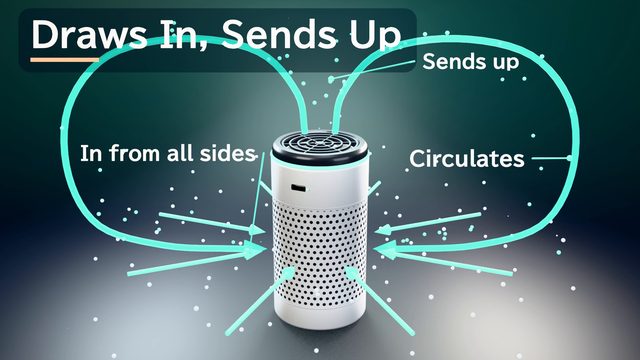
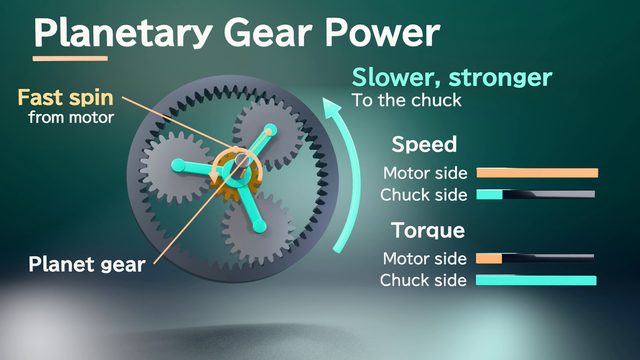
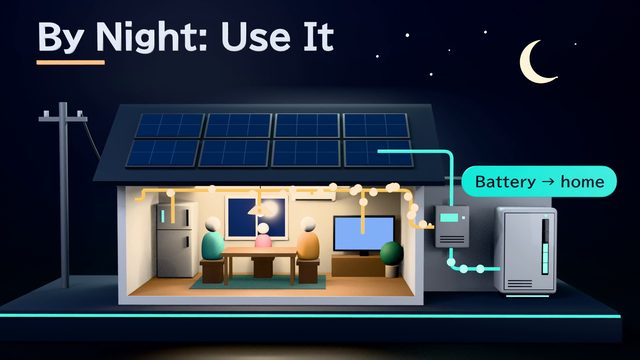
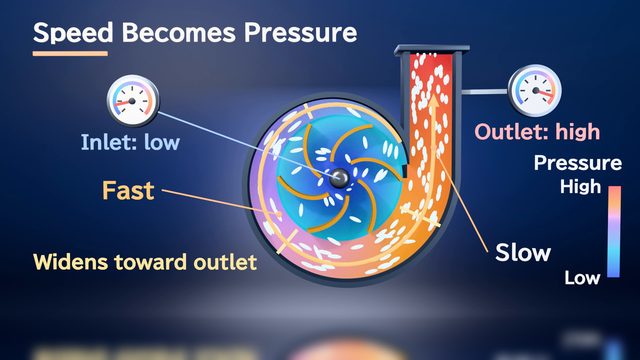
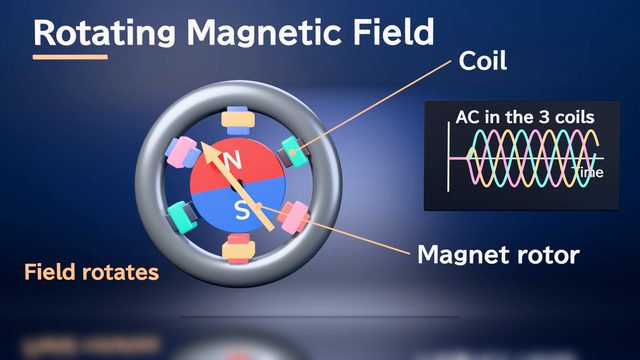
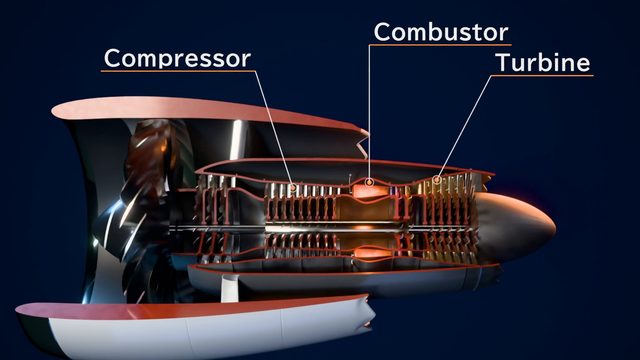
All products shown in the product introduction samples are fictional.
Tips for better results
In a 1-minute video, limiting the key features to 3 or fewer makes it easier for viewers to follow. Performance numbers come only from your documents, so attach spec sheets, catalogs, and comparison data with earlier models. Notes or cross-section drawings that explain which parts move and what flows through them help make the interior view more concrete. For websites and sales meetings, aim for 60–90 seconds at 16:9. For social media, aim for 15–30 seconds at 9:16. Before sharing outside your company, have your team check the product names and numbers.
Example chat requests
Using the attached catalog and spec sheet, create a 60-second intro video for customers who are new to our centrifugal pump. I want to show the impeller turning and pushing out water in a 3D view where the inside is visible. Use a calm voice, and wrap up with 3 key features at the end.
Price estimates
In Standard mode, one 1-minute video with 2 small revisions costs about 3,500 credits (1 credit = $0.01). High Quality mode costs about 7,100 to 12,000 credits. There's no monthly fee, and before each run we show you an estimate and a cap on the credits to be used.
Typical costs of 3D explainer videos (compared with production companies) · Pricing
FAQ
Can you make a video for a product that isn't released yet and has no photos?
Yes. Attach materials that show the shape and how it works, such as drawings, specifications, or a CAD 3D model. The AI builds a model in 3D from them. If you want the shape to be closer to the real thing, attach a CAD 3D model and it will be used as is.
Could wrong product numbers end up in the video?
The AI aims to use only numbers and facts from your attached materials, but errors are possible. Be sure to check numbers, model numbers, and units in the storyboard's narration script and in the finished video. You can tell the AI what to change in chat.
Can I make both landscape and portrait versions, for my website and for social media?
Yes. You can choose an aspect ratio of 16:9, 9:16, or 1:1. Each video is exported in a single ratio, so if you need both, build one for each ratio. For vertical videos, ask for fewer scenes and larger text to make them easier to read.
Can I use the intro videos I made in ads or on my company website?
Commercial use is allowed within the Terms of Service, on condition of payment. The narration is an AI-generated voice. Before you publish outside your company, have your team check product names, figures, and wording.
3D product animation from your documents and chat
Just attach your materials and tell the AI in chat what video you want. The AI plans a storyboard, builds 3D visuals, and makes a video with narration and captions.