Show your process flow and the inside of your equipment in a 3D animation
Manufacturing sites have many processes where filming isn't permitted, and equipment whose internal movement can't be seen from outside. Attach process charts or equipment documents, and the AI builds a 3D animation from the facts in your materials that shows how materials flow and how the equipment works.
Who it's for
- For those who want to introduce their manufacturing process in factory tours or company presentations
- For anyone who wants to share production line flow or improvements within the company
- For anyone who wants to explain processes that can't be filmed clearly to business partners
- For anyone who wants to show what manufacturing work involves at recruiting briefings
Common challenges
Filming isn't permitted
Filming a manufacturing process requires advance coordination about confidential areas and drawings showing up in frame. Equipment that can't be shown outside the company may not be possible to film at all.
The flow of things doesn't fit in a single diagram
For lines with many steps, or flows that move between multiple buildings and pieces of equipment, a flat process diagram makes it hard for viewers to grasp the order and positions.
You can't see what's happening inside the equipment
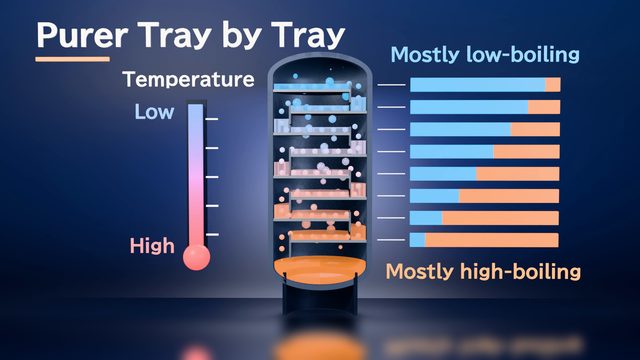
The key phenomena, like how steel changes inside a furnace or how components separate inside a tower, can't be seen from the outside. Photos and tables of numbers make it hard to show how things change.
What 3DCG Video AI can do
Structured in flow order from your process chart
Attach your process chart, flow diagram, or equipment specs, and the AI builds scenes in the order the material flows, using only the steps and values in your documents. You can check for missing steps and ordering problems at the storyboard stage.
Show lines and equipment in 3D
The AI builds a 3D model of your line or equipment and uses camera work to show how things move and what changes inside the equipment. Because there's no filming to arrange, you can explain how it works without showing confidential areas.
Production data in graphs
Attach numbers from Excel or CSV files, and the AI can show trends such as output volume or defect rate as graphs. Graphs are also drawn inside the 3D scene, so numbers and axis labels are less likely to break down.
Use your equipment CAD data too
Attach a 3D CAD model of your equipment or jig (such as STEP), and its shape can be used as is in the video. This works well when you want to show something close to the actual equipment. Drawings such as layout plans can be attached as DXF.
Examples of videos you can make
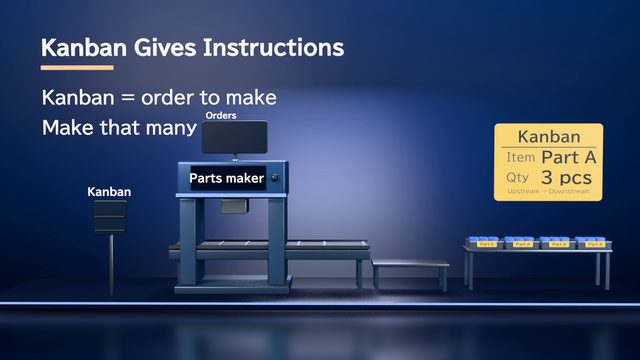
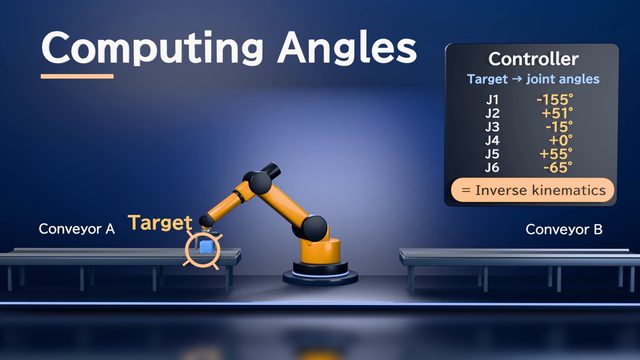
- Production line steps and how kanban pulls in parts
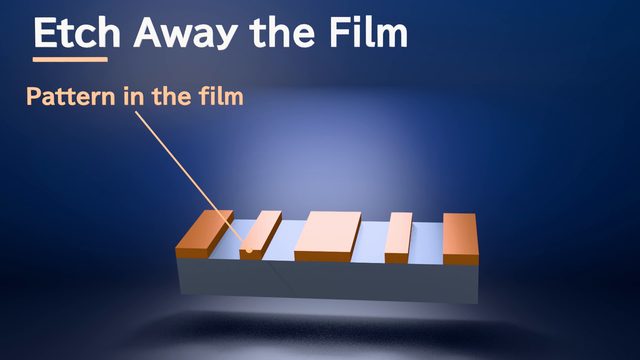
- The process of printing, etching, and layering circuits on a semiconductor wafer
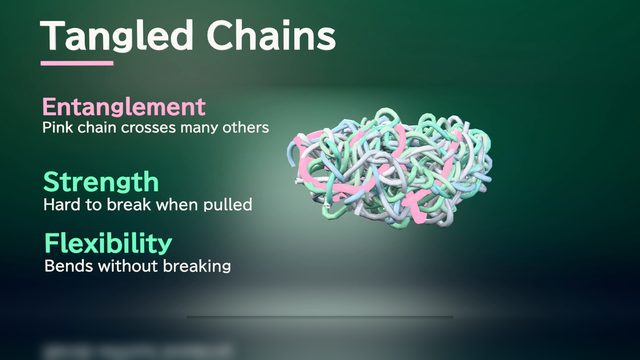
- Injection molding, from resin flowing into the mold until it hardens
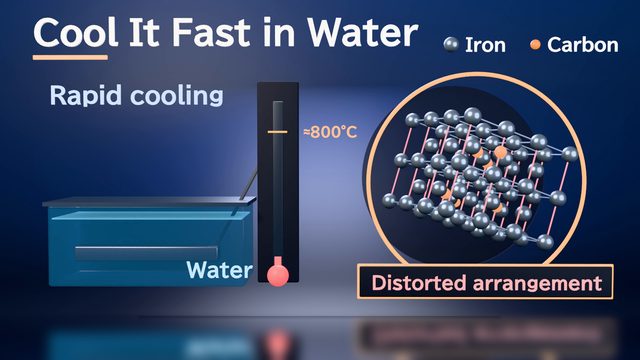
- Quenching furnace temperature and why steel gets harder
- How a distillation column separates raw material into its components
- Overall flow of materials through the factory, to watch before a factory tour (3 min)
Sample videos similar to this use case
Tips for better results
A process video is easiest to follow when it is built around the flow of materials, from raw materials coming in to the finished product going out. If your process chart or flow diagram lists each step's name, order, and equipment, plus key conditions such as temperature and time, the scene order and explanations become more specific. To turn changing values into a graph, attach the original table as Excel or CSV. If the video is for people outside your company, remove anything that can't be made public before you attach your documents.
Example chat requests
Using the attached process chart and equipment documents, create a 2-minute video for customers visiting the factory that explains the flow from raw materials coming in to products shipping out. Show confidential equipment from the outside only, and use 3D visuals so the role of each step is clear.
Price estimates
In Standard mode, one 1-minute video with 2 small revisions costs about 3,500 credits (1 credit = $0.01). High Quality mode costs about 7,100 to 12,000 credits. There's no monthly fee, and before each run we show you an estimate and a cap on the credits to be used.
Typical costs of 3D explainer videos (compared with production companies) · Pricing
FAQ
Can I make a process video without filming at the factory?
Yes. Attach a process chart, flow diagram, equipment specifications, or photos, and the AI builds the process in 3D from them. Since there's no filming to arrange, you can make a video that explains only how the process works without showing confidential areas.
Can you show trends in output or defect rates with graphs?
Yes. Attach your numbers in Excel or CSV, and tell the AI in chat which numbers you want in which kind of chart. Charts use only the numbers in your materials. Always check the numbers and units in the finished video.
Can you show it in the same shape as the actual equipment?
Yes. Attach a 3D CAD model of your equipment or jig (STEP, IGES, STL, etc.), and its shape can be used as is in the video. For proprietary formats such as SolidWorks, export to STEP before attaching. DWG drawings can be read as they are, but we recommend exporting to DXF and attaching that.
Can I make a video comparing before and after an improvement?
Yes. Attach materials that show the process and figures before and after the improvement, and ask the AI to "show a before-and-after comparison." The AI puts the comparison together in a storyboard. It uses only the figures in your materials, so make sure the figures you want to compare are included.
3D animations of manufacturing processes and factories, from your documents and chat
Just attach your materials and tell the AI in chat what video you want. The AI plans a storyboard, builds 3D visuals, and makes a video with narration and captions.