Show how your product works in 3D at trade shows and sales meetings
At a trade show booth, you have to tell passersby what your product is in a short time. The AI creates 3D animations from your catalogs and proposal materials that show your product's movement and inner workings in 3D. In sales meetings, too, you can use the same visuals to show mechanisms that are hard to explain in words.
Who it's for
- For those in charge of preparing videos to play at a trade show booth
- For salespeople who want to explain how a product works quickly in meetings
- For anyone who needs a consistent set of new product videos for every trade show
- Anyone who wants to give agencies and dealers an explanatory video
Common challenges
People don't stop at our booth
Panels and catalogs alone don't tell passersby what the product is at a glance. People may walk past before a staff member can speak to them.
The venue is noisy and sound doesn't carry
Trade show venues are loud, and narration can be hard to hear. At booths where you can't play sound, you need to get your message across with visuals and text alone.
Can't bring the actual machine
Large equipment and heavy machinery can't be carried to the venue, and even if they could be, you couldn't show how they work inside. In a business meeting, showing the real thing is difficult.
What 3DCG Video AI can do
A structure that gets the key points across quickly
If you ask for something like "show what the product is in the first few seconds" or "no more than 3 features," the AI builds the storyboard in that order. You can choose a length from 15 seconds to 10 minutes, so you can make a short video to loop at a booth or a slightly longer explanation for sales meetings.
Captions get your message across even without sound
Captions are added to match the AI narration. Even in a noisy venue or a booth where you can't play sound, viewers can follow along with captions and visuals. You can also choose a narration voice style to fit your product or venue.
Show equipment you can't bring to the venue in 3D
The AI assembles a 3D model of your equipment and builds everything from internal motion to camera work. Attach a CAD 3D model to use that shape as is. Even large equipment can be shown on a laptop or tablet in sales meetings.
Aspect ratio to fit your monitor
Choose 16:9 for widescreen monitors, 9:16 for vertical displays and smartphones, or 1:1 for social media posts. Your video is exported as a 1080p MP4 with narration, captions, and scene transitions.
Examples of videos you can make
- New equipment intro that loops on a booth monitor (30 sec)
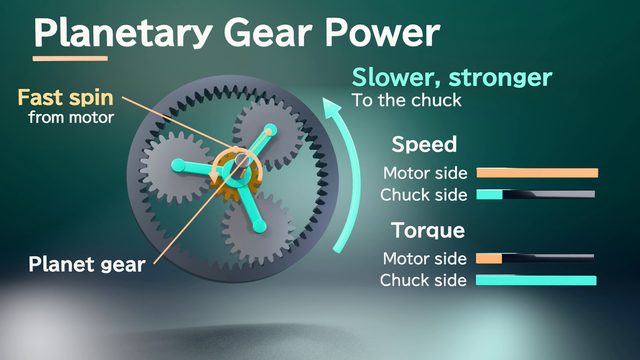
- A machine tool's spindle rotating as machining progresses
- 3 key product features for a vertical display (9:16)
- The difference between the process before and after adoption, shown in meetings
- Explanation of how the product works, for distributors and resellers (2 min)
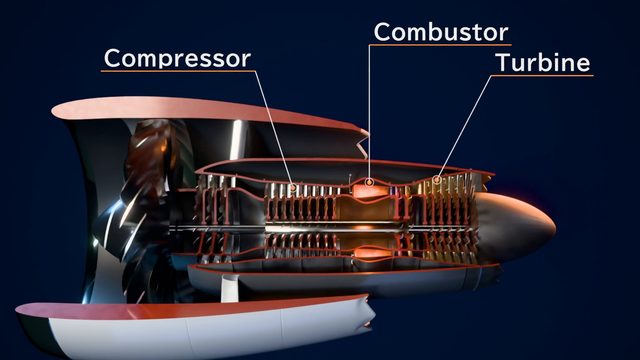
- The structure and motion of large equipment that can't be brought to the venue
Sample videos similar to this use case
Tips for better results
For a video playing at a booth, start with a scene that shows what the product is within the first few seconds, and make it about 30 seconds to 1 minutes long so that people who start watching partway through still get the message. Venues are noisy, so we recommend asking for short phrasing that captions can show in full. For sales meetings, aim for 1–3 minutes focused on what customers ask about most. For vertical displays, build it at 9:16. If your exhibit date is set, finalize the storyboard early to leave time for review and revisions.
Example chat requests
I'd like a 30-second video that loops on a widescreen monitor at our booth at next month's trade show. From the attached catalog, narrow the new compressor's features down to 3 key features, and make it clear what the product is within the first 5 seconds. The venue is noisy, so please keep the captions short.
Price estimates
In Standard mode, one 1-minute video with 2 small revisions costs about 3,500 credits (1 credit = $0.01). High Quality mode costs about 7,100 to 12,000 credits. There's no monthly fee, and before each run we show you an estimate and a cap on the credits to be used.
Typical costs of 3D explainer videos (compared with production companies) · Pricing
FAQ
Can I use it in a booth where I can't play sound?
Yes. Videos have captions synced to the narration, so viewers can follow along without sound. If you often play videos muted, ask at the storyboard stage for "short captions and large on-screen text."
About how many seconds should a video be if it loops at a booth?
So that people who start watching partway through can still follow, we recommend a loop of about 30 seconds to 1 minute. You can choose a length from 15 sec to 10 min. The final length varies with the narration reading, typically by about ±10%.
Our trade show is coming up. How long will it take?
In Standard mode, for a 1-minute video, the storyboard takes a few minutes, the AI's 3D build takes about 30 minutes to 1 hours, and the final export takes about 1 hours. Reviewing and revising take extra time, so start with time to spare. Processing continues even if you close the page.
Can you make eye-catching, realistic visuals?
High Quality mode finishes your video with rendering that calculates light reflections and even material textures. A separate AI checks the result, and the build AI makes revisions, repeating this at least 3 times. It works for videos up to 5 min. A 1-minute video costs about 7,100 to 12,000 credits, and the build and the export each take several hours.
3D animations for trade shows and sales, from your materials and chat
Just attach your materials and tell the AI in chat what video you want. The AI plans a storyboard, builds 3D visuals, and makes a video with narration and captions.