Educational videos that show hidden mechanisms in 3D
A textbook diagram is a still, flat image. With 3D animation, you can show the 3D shapes of molecules, the relationship between force and motion, and how invisible current and light travel, all as moving 3D visuals. Attach your lecture materials, and the AI builds a storyboard that follows their content and order.
Who it's for
- Instructors at universities, technical colleges, and vocational schools who want an intro video for a lecture
- For those who teach engineering, chemistry, or physics and want to show how things work in 3D
- Instructors who teach basic theory in courses and seminars for working professionals
- Anyone creating training materials that explain how things work for corporate technical training
Common challenges
Textbook diagrams don't convey motion
Directions of force, molecular shapes, and the movement of electrons are hard to follow in still, flat diagrams, so students have to animate them in their heads.
Some phenomena can't be shown in a classroom
You can't run an experiment in a classroom to show what's inside an atom or the life of a star. Electric currents and magnetic fields are also hard to make visible in experiments. Some experiments aren't possible at all because of danger or cost.
Can't find the right teaching material
Even when you search for clear videos, it's hard to find one that fits your lesson's content and order. Making one yourself takes the time and skills for 3D work and video editing.
What 3DCG Video AI can do
Structured around your lecture materials
Attach lecture materials, lesson plans, or board notes, and the AI follows their content and order to put a narration script and how each scene is shown into a storyboard. It's set not to write anything that isn't in your materials, so it's less likely to stray from what your lecture covers.
Show the invisible in 3D
The AI builds molecules, crystals, force arrows, and the paths of current and light in 3D, and moves the camera around them. Because it can show the same shape from different angles, it's easier to compare 3D forms.
Wording tailored to your audience
If you ask for something like "for college students in year 1" or "add a short explanation for technical terms," the AI adjusts the wording of the narration script. You can read the script at the storyboard stage, so you can reword it the way you'd say it in your lecture before moving on to build.
A length that works anywhere in a lecture
Choose a length, from a 15 sec to 1 min video for opening a lecture to a video of a few minutes for a unit recap. For classroom or venue screens you can choose 16:9, and for studying ahead or reviewing on a smartphone you can choose 9:16.
Examples of videos you can make
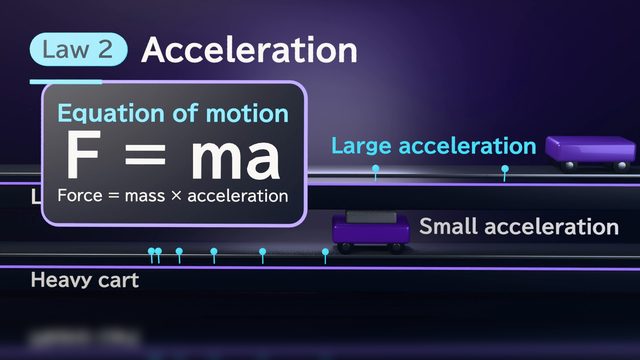
- Newton's law of motion No. 3, shown with a cart and force arrows
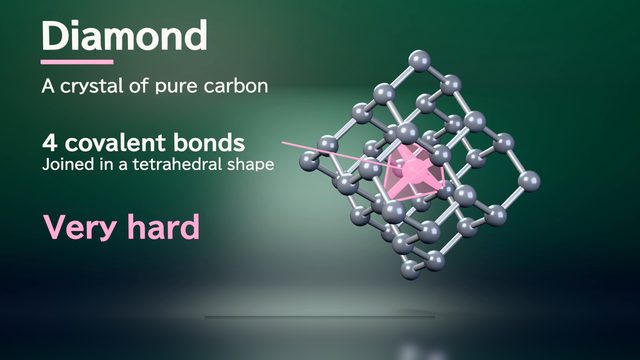
- Rotate and compare the crystal structures of table salt and diamond
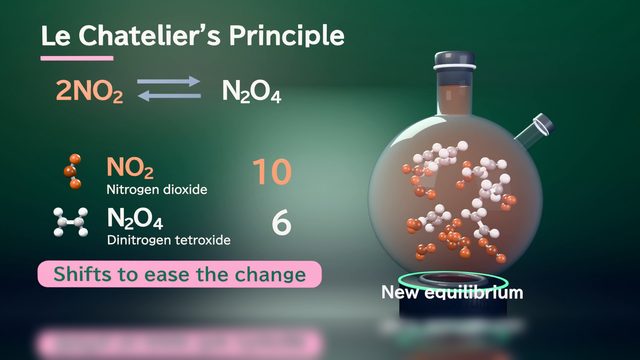
- Show which way equilibrium shifts, using Le Chatelier's principle
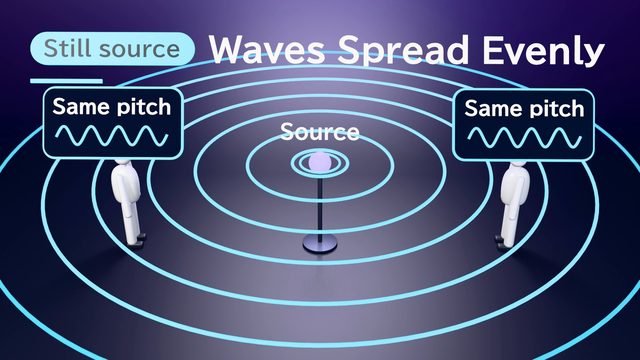
- Why pitch changes because of the Doppler effect
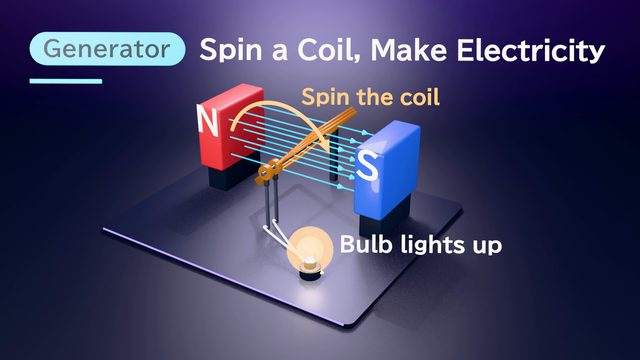
- How electromagnetic induction makes current flow in a coil
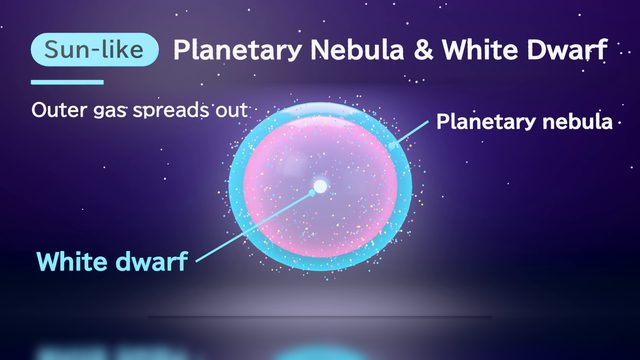
- From the birth of a star to its final end
Sample videos similar to this use case
Tips for better results
For lecture videos, having each video answer one question makes it easier to decide where in the lecture to play it. As a guide, use 30 sec to 1 min for an introduction and 2–3 min for a recap. Attach only materials you have the right to use, such as lecture materials or lesson plans you made yourself. If your textbook or lecture uses specific terms or symbols, include them in your materials or tell the AI in chat. You can read the narration script at the storyboard stage, so it's safest to check for difficult words before moving on to the build.
Example chat requests
Please make a 1-minute video for the introduction of a year-1 university electromagnetism lecture, showing the relationship between electric current and magnetic fields. Following the order of the attached lecture materials, I want to show in 3D how a magnetic field forms when current flows through a coil. Add short explanations for technical terms, and use a calm voice.
Price estimates
In Standard mode, one 1-minute video with 2 small revisions costs about 3,500 credits (1 credit = $0.01). High Quality mode costs about 7,100 to 12,000 credits. There's no monthly fee, and before each run we show you an estimate and a cap on the credits to be used.
Typical costs of 3D explainer videos (compared with production companies) · Pricing
FAQ
Can students use it themselves?
You must be 18 or older to use this service. It also can't be used for classes or services aimed at people under 18 (Terms of Service, Article 1). Use it for university and vocational school lectures, or for courses and training for working adults.
Can I attach textbooks or commercial teaching materials?
Attach only materials you have the necessary rights and permissions for. Rather than attaching commercial teaching materials as they are, attach materials you created yourself, such as lecture materials, lesson plans, or board notes. The video's content is built from them.
Could the content differ from what my lecture or textbook says?
The AI aims to use only facts from your attached materials, but errors are possible. You can read the narration script at the storyboard stage, so check the terms, numbers, and order of explanation before moving on to the build. You can tell the AI what to change in chat.
How much does it cost to make several videos for a single unit?
A 1-minute video built with 2 small revisions is about 3,500 credits (about $35). Each big revision, such as changing the background, adds about 0.6–880 credits. Costs vary with the length and content of your video. Before you build or export, we always show the estimated credits and the maximum, so you can check before going ahead.
Create 3D animations for education from your materials and chat
Just attach your materials and tell the AI in chat what video you want. The AI plans a storyboard, builds 3D visuals, and makes a video with narration and captions.